

Welcome
To set up or edit a new fundraising page.
Login
Click on Fundraisers on the left side column.
From here, you can click New Fundraiser to begin setting up a new page.
If you already have a page set up, you can edit these pages by clicking on the 3 dots underneath the Actions heading and you'll see the Edit option appear.
From here, you can edit your fundraising page as you see fit.
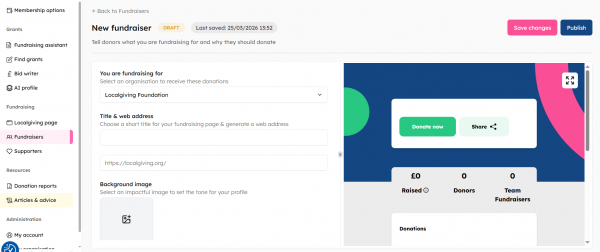
In terms of linking fundraisers to other fundraisers, you can do this via the individual fundraising page:
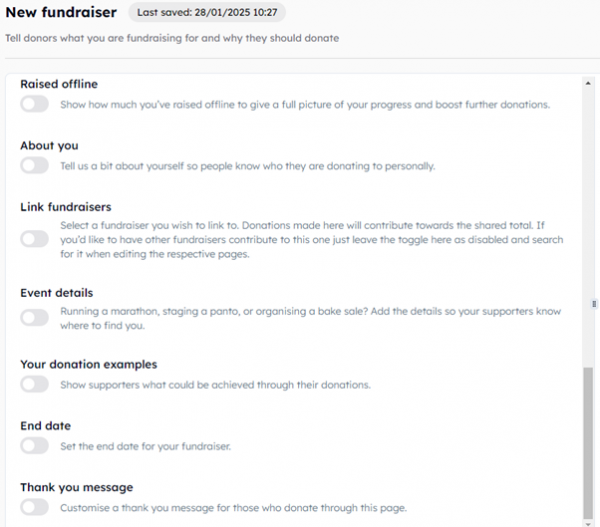
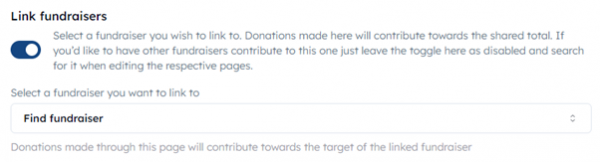
If you toggle "Link fundraisers", you'll be able to search the dropdown list and anyone who makes a fundraiser will be able to link it to your parent fundraiser:
About Localgiving
Localgiving is a leading online fundraising platform and grant delivery partner, focused on supporting small charities, CICs, and community organisations. Since 2010, we’ve helped thousands of groups across the UK raise tens of millions of pounds and make a meaningful impact in their local communities.
Our platform offers an easy-to-use suite of powerful fundraising tools alongside AI-powered support for finding and applying for grants—equipping organisations with everything they need to grow and succeed.
We also collaborate with major partners, including National Grid and Scottish Power, to deliver corporate grant programmes and connect funding with the communities that need it most.
Join Localgiving today and unlock new opportunities to supercharge your fundraising.